Fix
Dyson Airstrait errors and how to reset it
Published
Short answer
Most Dyson Airstrait stops come from a blocked air intake or filter, overheating protection, or a power issue. Unplug it, let it cool, clean the filter area following Dyson's instructions, check the outlet and cord, then plug back in and power on. If it still stops or shows a fault indication, use Dyson's online troubleshooting for your serial number or contact Dyson support.
Tools for this job
All 7 picks compared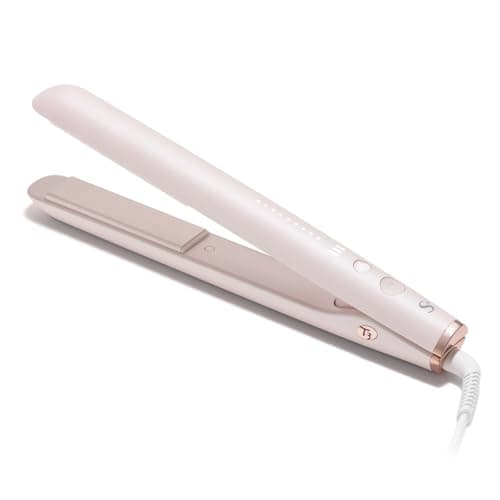
T3 SinglePass StyleMax 1": 9 settings, auto world voltage
See price on AmazonSee it on Amazon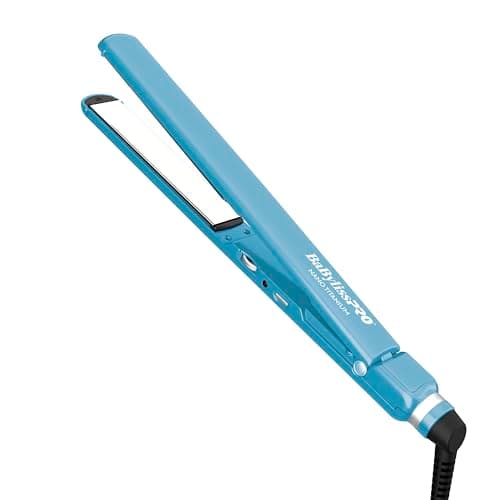
BaBylissPRO Ultra Thin 1": 50 settings up to 450°F
See price on AmazonSee it on Amazon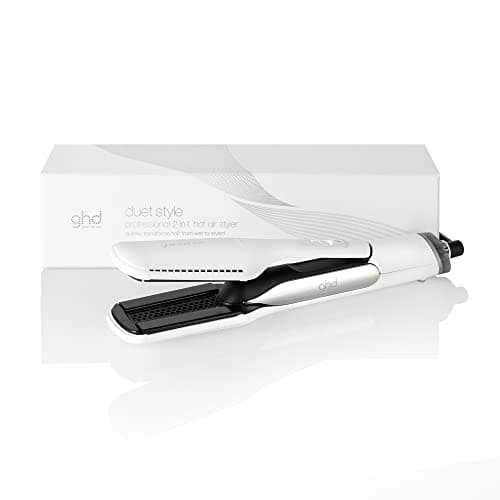
ghd Duet Style: hot air styler with 365°F Shine Shot mode
See price on AmazonSee it on Amazon

The Dyson Airstrait dries and straightens hair with high-pressure airflow instead of hot plates, according to Dyson. Because it moves a lot of air through a small machine, it is sensitive to blocked intakes and heat buildup. This page covers the common reasons it stops, slows down or seems to behave oddly, the safe reset and cleaning steps owners can do at home, and when to hand it over to Dyson. Specific error lights and symbols vary by software version and region, so we do not list error codes here; Dyson's own support pages and manual are the reference for those.
How the Airstrait works, briefly
Dyson describes the Airstrait as a wet to dry straightener: it projects heated air through the hair between its two arms to dry and straighten at the same time. Its listing also says it senses when hair is between the arms and automatically drops to low airflow when it is not, which makes it quieter between passes. That automatic drop is normal behavior, not a fault.
Anything that restricts the air coming in, such as lint or hair on the filter, makes the motor and heater work harder. Like most Dyson hair tools, it has protection that cuts heat or stops the machine if it gets too hot. More detail is in how the Dyson Airstrait works.
Common behaviors and what they usually mean
Airflow drops when you open the arms
- Likely cause
- Normal low-airflow mode between passes
- What to try
- Nothing; it rises again when hair is between the arms
Stops mid-use or cuts heat
- Likely cause
- Blocked filter or intake, overheating protection
- What to try
- Unplug, cool down, clean filter area
Will not turn on at all
- Likely cause
- Tripped outlet, loose plug, cord damage
- What to try
- Reset GFCI, try another outlet, inspect cord
Pulses or cycles on and off
- Likely cause
- Restricted airflow
- What to try
- Clean filter, check nothing is covering the intake
Shows a warning light or symbol
- Likely cause
- Maintenance prompt or fault
- What to try
- Check Dyson's manual and support for that indication
Unusual noise, burning smell
- Likely cause
- Debris or internal fault
- What to try
- Stop using and contact Dyson
| What you see | Likely cause | What to try |
|---|---|---|
| Airflow drops when you open the arms | Normal low-airflow mode between passes | Nothing; it rises again when hair is between the arms |
| Stops mid-use or cuts heat | Blocked filter or intake, overheating protection | Unplug, cool down, clean filter area |
| Will not turn on at all | Tripped outlet, loose plug, cord damage | Reset GFCI, try another outlet, inspect cord |
| Pulses or cycles on and off | Restricted airflow | Clean filter, check nothing is covering the intake |
| Shows a warning light or symbol | Maintenance prompt or fault | Check Dyson's manual and support for that indication |
| Unusual noise, burning smell | Debris or internal fault | Stop using and contact Dyson |
Step by step: safe reset
These are general steps that apply to most corded hair tools, including the Airstrait. If Dyson's manual for your unit gives a different sequence, follow Dyson's.
- 1
Switch the Airstrait off and unplug it.
- 2
Let it cool fully, at least 10 to 15 minutes. Overheat protection usually needs the machine to cool before it allows normal operation.
- 3
Clean the air intake and filter area as described below.
- 4
Check the outlet. Press reset on any GFCI outlet, or try a different outlet in another room.
- 5
Look along the cord for kinks or damage, especially near the plug and the handle.
- 6
Plug in, power on, and test on a low setting with the arms closed on a small section of hair.
- 7
If it stops again quickly, do not keep restarting it. Contact Dyson support.
Note.Never use the Airstrait with a damaged cord, a cracked housing, or after it has been dropped in water. Do not open the machine.
Cleaning the filter and intake
Dust, lint and hair on the intake are the most common reason for Dyson hair tools to cut out. Dyson's manual shows exactly where the filter is on your Airstrait and how to remove it, if it is removable on your unit. The general approach is the same as for other Dyson hair tools: unplug, let it cool, remove the filter cover if your model allows it, brush away lint with a soft dry brush, wipe the outside with a dry cloth, and reattach it securely.
Do not rinse the machine under water or use solvents on it. A clean, dry, soft brush or cloth is enough. Doing this regularly, especially if you style in a bathroom with lint and hairspray in the air, helps avoid cut-outs.
Technique issues that look like faults
Some problems are about technique rather than the machine. Sections that are too large slow drying and can leave hair damp in the middle, so it seems the Airstrait is not working. Moving too quickly has the same effect. Thin sections and slow, even passes usually fix it.
Another common one: using the wrong mode for the hair. Dyson positions the Airstrait as a wet to dry tool, with a dry mode for touch ups. If straightening dry hair seems less effective than a flat iron, that is a difference in how the tools work, not necessarily a fault. How to use the Dyson Airstrait and Dyson Airstrait temperature settings explain the modes.
When to contact Dyson
Contact Dyson if the machine keeps stopping after a clean and a cool down, shows a fault indication that the manual says needs service, makes a grinding or rattling noise, smells of burning, or will not power on with a known good outlet. Have your serial number and proof of purchase ready. Dyson offers a limited warranty on its hair tools; terms vary by region and product, so check Dyson's site for yours. See also hair tool warranties.
If you are comparing replacements, is the Dyson Airstrait worth it and our hair straightener guide cover alternatives, including plate irons and the ghd Duet Style hot air styler.
Frequently asked questions
How do I reset my Dyson Airstrait? Unplug it, let it cool, clean the filter area, check the outlet, then plug in and power on. If Dyson's manual lists a specific reset for your unit, follow that.
Why does my Airstrait airflow drop when I open it? Dyson says it senses when hair is between the arms and drops to low airflow when it is not. That is normal.
Why does my Airstrait keep turning off? Most often a blocked intake or filter causing overheat protection. Clean it and let it cool. If it continues, contact Dyson.
Can I fix an Airstrait myself? Only cleaning and basic checks. Internal repairs should go through Dyson, both for safety and to keep the warranty valid.
What you need for this
- See price on AmazonAmazon
T3 SinglePass StyleMax 1": dedicated Curl Mode
 See price on AmazonAmazon
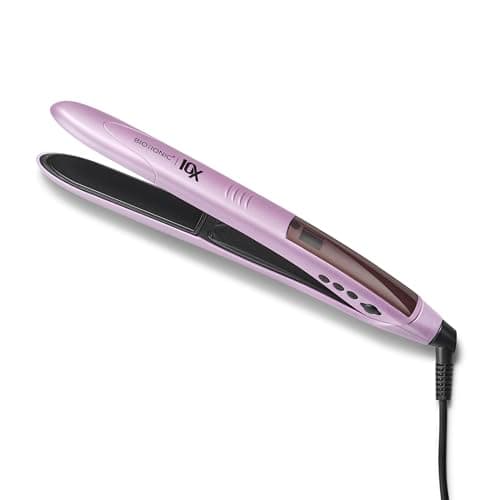
Bio Ionic 10X 1": rounded barrel and sonic plates
From Best flat irons for every hair type, compared by plate and heat